

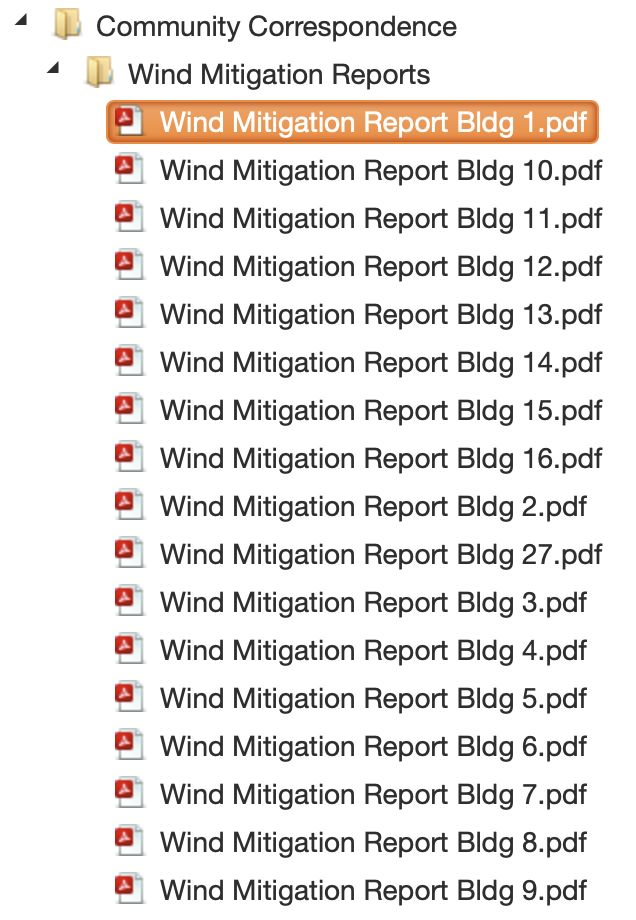
Wind Mitigation reports are now available on the Vista Management Raintree Homeowner Portal under “Documents”. These reports may help with your homeowners insurance. To locate these reports, you must log into the homeowner portal. Once you log in, select the icon “Docs”. This will take you to the main documents section of the portal. Look for “Community Correspondence”. Select the arrow next to “Community Correspondence” and this will open up the Wind Mitigation Reports folder.
To learn how to access the portal, find your building number and/or for detailed instructions on where to look in the portal for these reports, see below.
How do I log into the homeowner portal?
For more information on how to access the homeowner portal, visit the homeowner log-in page.
Do I need access to the portal to receive a copy of the wind mitigation report?
Yes. All homeowners receive access to the portal. It is important to use the portal, since this is where you can track correspondence with Vista Management, locate documents, and submit work orders/service requests. If you do not have access to the homeowner portal, you will need log-in credentials from Vista Management in order to access your account details. If you need access or have difficulty logging in, call Vista Management at 407-682-3443.
How do I know what building report to download?
To the find the report you need, you must first identify your building number. To find your condo unit’s building number, see the Raintree Phase Map. Using the map key, locate your unit number/street and this will give you the corresponding building number. The Wind Mitigation reports are organized by building number.
I cannot locate “Documents” in the homeowner portal. What do I look for?
When you log into the portal, the first page you will see is the dashboard. Select the icon for DOCS:
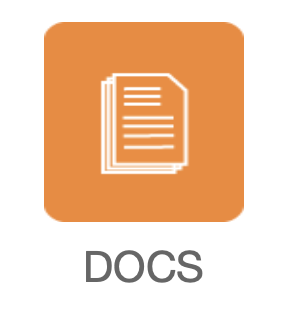
This will open the page for all documents available for Raintree. Find “Community Correspondence”. Select the arrow, and this will open up the folder for “Wind Mitigation Reports”. Select the arrow next to this folder, and this will open a drop-down menu showing all wind mitigation reports available for download. Find your building, select the report, and a PDF will open. You will be able to download and save the PDF to your device.
Please note: The Raintree Homeowner Portal is maintained by Vista Management. The portal is not associated with this Raintree website. Raintree has two locations for information on the web 1) the homeowner portal, which requires a log-in from Vista Management (homeowners only) and 2) this Raintree website which contains news, documents and other community information that anyone can access, no log-in required. Some documents can only be accessed through the portal for security reasons.
 Raintree